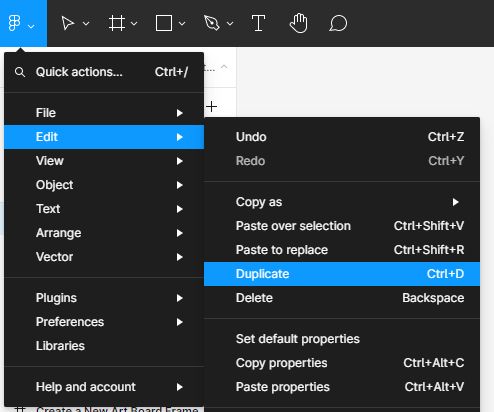
- Select the layer you want to duplicate.
- Hit the arrow beside the Figma logo in the top bar and select Edit > Duplicate or use the Keyboard shortcut:
Mac: ⌘ D
Windows: Ctrl D
- You can also hold command + C to copy, then command + V to duplicate.

Mac: ⌘ D
Windows: Ctrl D


Customizing the styles of your WordPress website is an essential step to make…

WordPress offers a powerful Block Styles panel that enables you to personalize the…

Creating a well-structured and visually appealing website requires careful attention to layout dimensions.…
Customizing the color palette of your WordPress site is a crucial step in…